'%3e%3cpath%20d='M8.85591%2016.2988H5.69922V26.321H8.85591V16.2988Z'%20fill='%23CD2529'/%3e%3cpath%20d='M2.28671%2014.7583H5.69928H8.85597H12.247C13.0146%2014.7583%2013.7041%2014.2923%2013.9923%2013.584L14.5337%2012.2534H0L0.541378%2013.584C0.829574%2014.295%201.52178%2014.7583%202.28671%2014.7583Z'%20fill='%23CD2529'/%3e%3cpath%20d='M40.4819%2020.7617L34.6318%2012.2505H36.8135C37.433%2012.2505%2038.0148%2012.5548%2038.3676%2013.0666L42.3269%2018.8197L41.8933%2018.7174L45.7826%2013.0666C46.1354%2012.5548%2046.7145%2012.2505%2047.3367%2012.2505H49.5184L43.6656%2020.7617V26.3209H40.49V20.7617H40.4819Z'%20fill='%23CD2529'/%3e%3cpath%20d='M111.241%2012.2505V24.4355C111.241%2025.4779%20110.398%2026.3209%20109.356%2026.3209H108.157V14.1359C108.157%2013.0935%20109%2012.2505%20110.043%2012.2505H111.241Z'%20fill='%23CD2529'/%3e%3cpath%20d='M136.777%2025.6828C135.641%2025.0903%20134.768%2024.2472%20134.154%2023.151C133.54%2022.0548%20133.235%2020.7673%20133.235%2019.2886C133.235%2017.8099%20133.542%2016.5198%20134.154%2015.4236C134.768%2014.3274%20135.641%2013.4843%20136.777%2012.8918C137.914%2012.2992%20139.247%2012.0029%20140.78%2012.0029C142.312%2012.0029%20143.645%2012.2992%20144.782%2012.8918C145.919%2013.4843%20146.791%2014.3274%20147.405%2015.4236C148.02%2016.5198%20148.324%2017.8073%20148.324%2019.2886C148.324%2020.77%20148.017%2022.0413%20147.405%2023.1429C146.791%2024.2445%20145.919%2025.0903%20144.782%2025.6828C143.645%2026.2754%20142.312%2026.5716%20140.78%2026.5716C139.247%2026.5716%20137.914%2026.2754%20136.777%2025.6828ZM143.185%2023.4634C143.877%2023.0729%20144.405%2022.518%20144.774%2021.8016C145.143%2021.0851%20145.326%2020.2475%20145.326%2019.2886C145.326%2018.3298%20145.143%2017.4733%20144.774%2016.7568C144.408%2016.0404%20143.88%2015.4855%20143.196%2015.095C142.511%2014.7044%20141.706%2014.5105%20140.78%2014.5105C139.853%2014.5105%20139.048%2014.7044%20138.364%2015.095C137.679%2015.4855%20137.154%2016.0404%20136.785%2016.7568C136.416%2017.4733%20136.233%2018.3163%20136.233%2019.2886C136.233%2020.261%20136.416%2021.0851%20136.785%2021.8016C137.152%2022.518%20137.682%2023.0729%20138.374%2023.4634C139.067%2023.854%20139.867%2024.0479%20140.78%2024.0479C141.693%2024.0479%20142.493%2023.854%20143.185%2023.4634Z'%20fill='%23CD2529'/%3e%3cpath%20d='M78.4727%2012.2505H75.2326L69.1724%2026.3209H71.249C72.0139%2026.3209%2072.7061%2025.8577%2072.9943%2025.1493L73.937%2022.841L74.9605%2020.3173L76.8405%2015.6684L78.7205%2020.3173L79.744%2022.841L80.6867%2025.1493C80.9776%2025.8577%2081.6671%2026.3209%2082.4321%2026.3209H84.5087L78.4727%2012.2505Z'%20fill='%23CD2529'/%3e%3c/g%3e%3c/svg%3e)
Credits and billing
The credits shown in this guide correspond to Tyaio Coins in the current product interface.
Check the balance
- Sign in to T-Agent Work.
- Open Settings > Account and review the balance and usage.
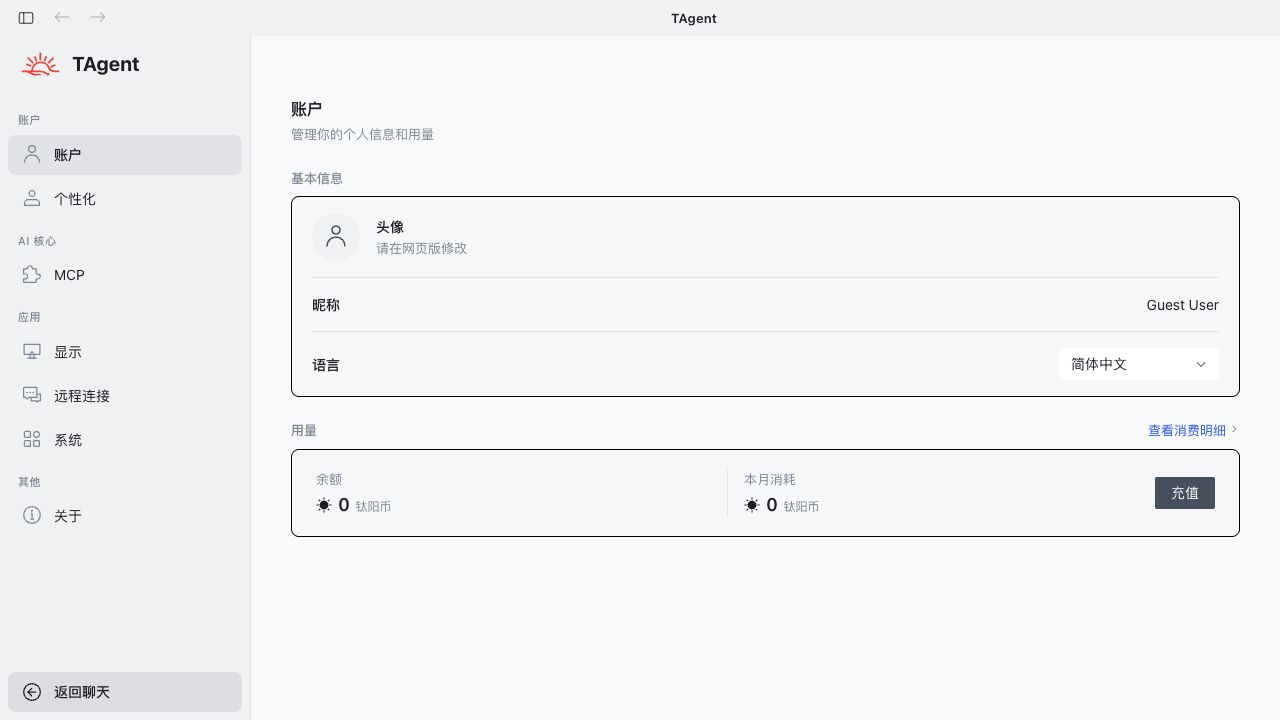
- Select Top up to open the web account center.
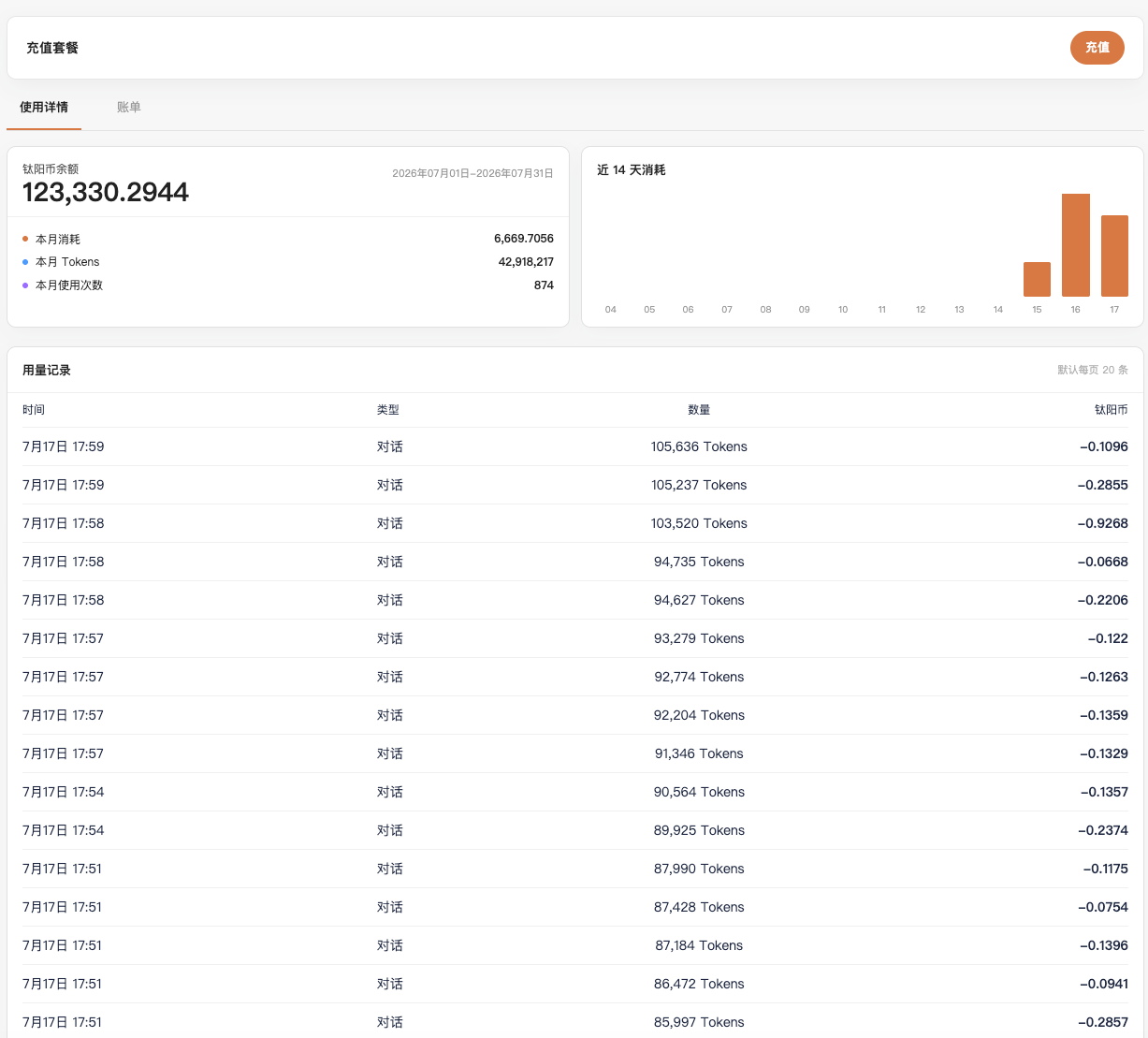
- If the page does not open, confirm that you are signed in, the web service is reachable, and the system browser did not block the new page.
Add credits with WeChat Pay
- Select WeChat top-up from the usage page, or select Top up from the Credits and usage page.
- Choose a preset amount or enter an amount. The page shows the expected credits.
- Confirm the payment amount and credits, then select Confirm top-up.
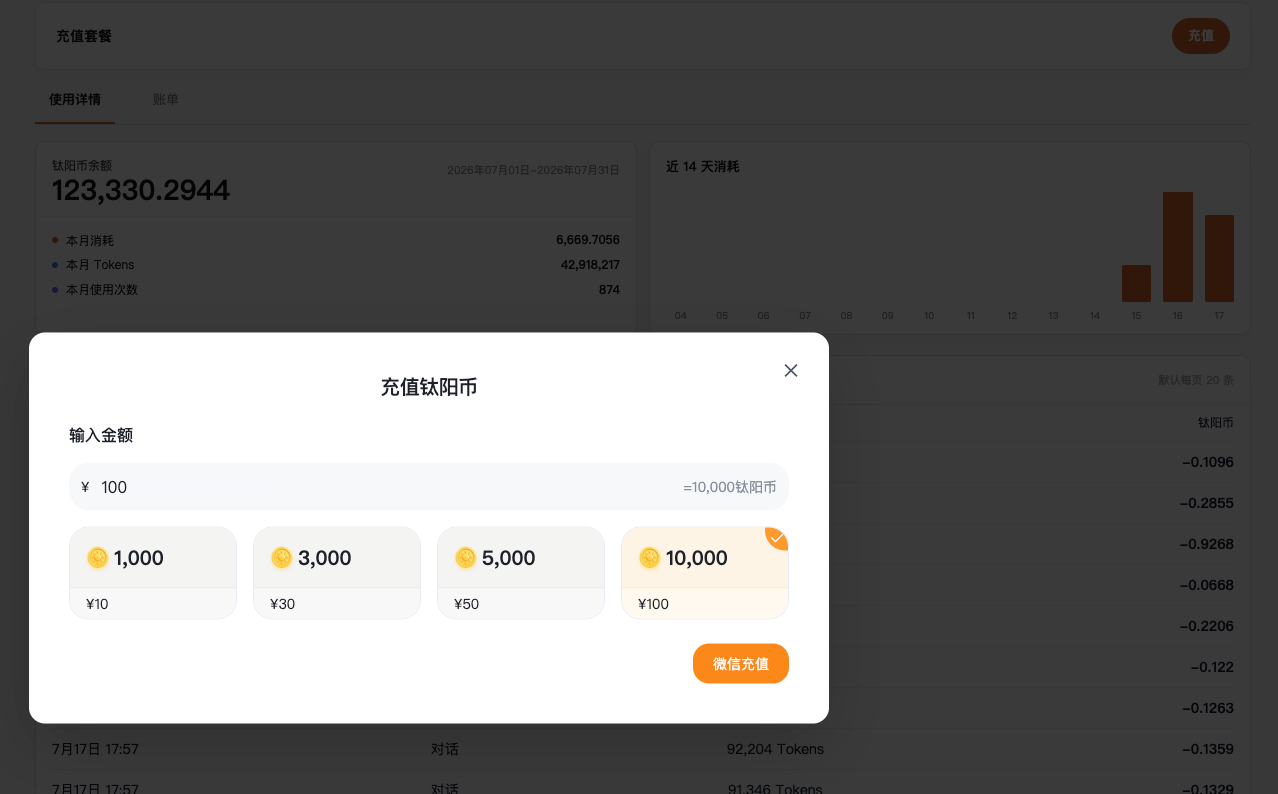
- Scan the WeChat Pay QR code and complete payment in WeChat.

- Wait for the balance to refresh after the page reports success. Refresh the account page manually if needed.
- Return to Settings > Account in T-Agent Work and confirm the updated balance.
Review credit and usage records
Use View usage details from T-Agent Work or open the Credits and usage page on the web. The page shows the current balance, usage, request count, recent trend, and detailed records.
Tyaio · Updated